Cherry Oak Manor
Welcome to my blog – Sharing my journey of making our house into our dream home.
Home , Lifestyle blogger and mentor
Instagram is forever evolving and is bringing in fantastic new tools such as insights for business & creator accounts. But how do we understand what they all mean
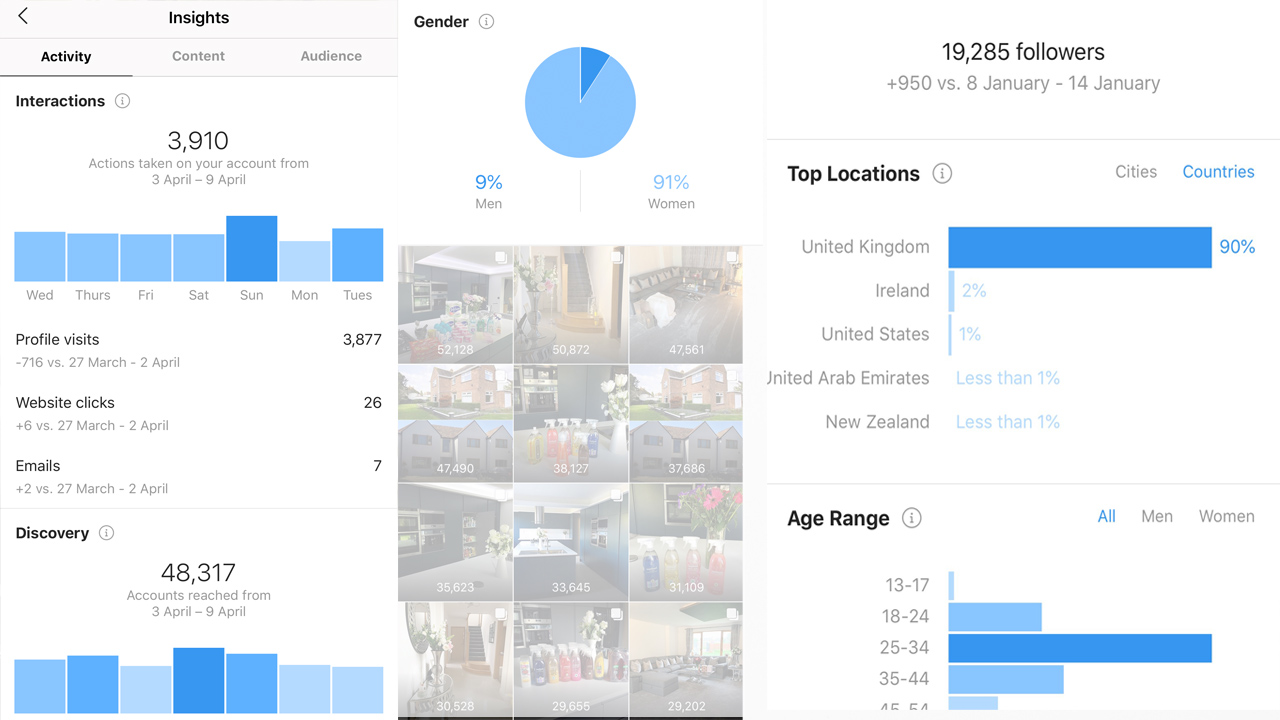
So you have heard about insights and have changed your account to a business one, but now what on earth do all these graphs and things mean...
Now I am by no means an expert on Instagram insights but I will do my best to explain what I have understood the information to mean.
Instagram insights are a valuable tool if you are a business account, influencer or are just looking to build your followers and engagement.
Insights provide data on your follower demographics, post and story reach and engagement.
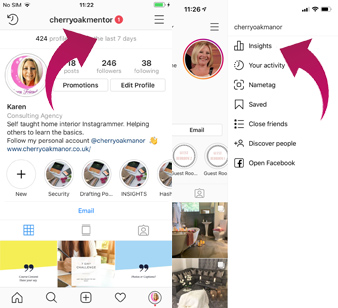
Depending on your current version of Instagram (there are currently 2 at the time of writing this) will depend on how you access your insights. The image on the left you click just below your account name. Where it says number of profile visits in last 7 days. The version on the right you select the 3 lines on the top right hand corner the select insights
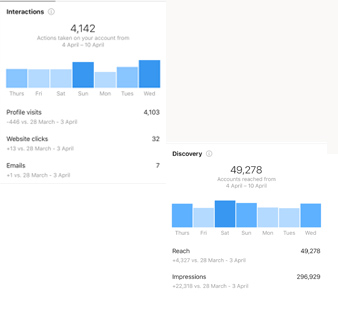
Your insights are shown under 3 different sections – Activity – Content – Audience.
This picture shows the Activity and is split into 2 sections.
This shows the number of interactions on your account in the past 7 days. It is broken down further into sub sections.
Profile visits – The amount of people who have visited your Instagram profile.
Website Clicks – The number of people who have clicked through to your website (if you have one on your account)
Email – The number of people who have emailed you (I find this to be incorrect though as some people accidently click email when they head to your account)
Calls – The number of people who have called you (if you have a phone number on your account
This section shows the overall performance of your Instagram account for the past 7 days. It is broken down in to 2 sub sections.
Reach – This is the number of unique accounts that have seen any of your posts in the past 7 days.
Impressions – This is the total number of times your posts have been seen. People often ask me why this is higher than the reach. This is because some people may have seen your posts more than once.
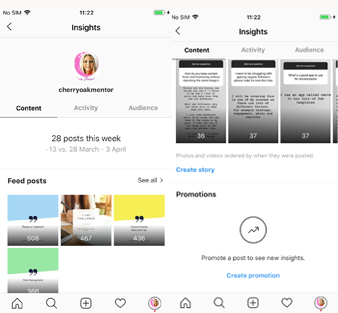
Under the content tab you will find insights relating to your posts, stories and promotions if you have done any.
Displayed initially is your most recent pots and stories. The number showing on the posts and stories on the left is the impressions.
Displayed initially is your most recent pots and stories. The number showing on the posts and stories on the left is the impressions.
Exploring Content in more detail
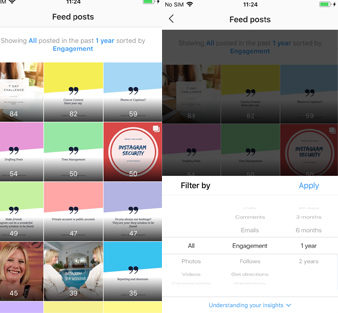
When you are on the content section (see previous) there is a see all button to the right hand side just above the posts or stories.
Click on the see all and you are greeted with lots of different options.
Click on the blue writing at the top (see the left hand picture) and it will see lots of different filter options.
First you can filter by post type – Photos – Videos – Carousel Posts – Shopping Posts.
Second filter by the number of Calls – Comments – Emails –Engagement – Follows – Get Directions –Impressions –Likes – Profile Visits –Reach – Saved –Shares – Texts – Website Clicks.
Third filter by dates – 7 days – 30 days – 3 months -6 months -1 year – 2 years.
The best way to learn is to have a little play around with different filters.
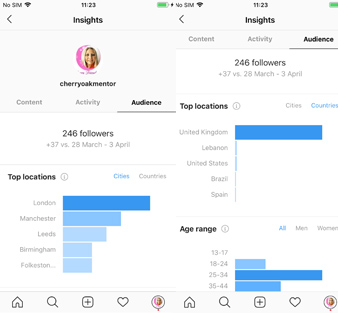
The third section is audience in this section you will be able to better understand your Instagram audience. It is broken down into 3 sections – Location –Age Range –Activity.
It will initially display your followers City location however you can also select country to see which countries your followers are from
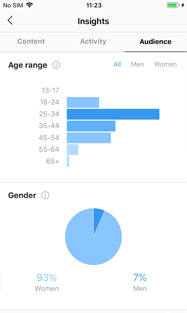
Age range is broken down into overall age, men & woman.
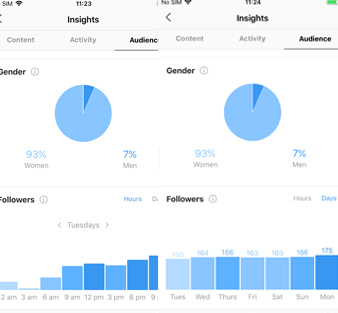
The final section is valuable in knowing when your followers are most active as you can use this information to post when more of your followers are online and likely to see your post
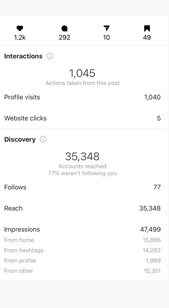
You can also check your posts and stories
On your post it will show the words View Insights underneath. Simply click that and it will show you the following information:
Just below the picture you will see - Number of likes - Number of comments- Number of share -Number of people who have saved your post.
Next is Interactions – Number of profile visits and website clicks.
Discovery
Number of accounts reached
Number of follows
Impressions – followed by a breakdown of where the post was seen.
From home
From Hashtags
From Profile
From Other
These insights are a great way to see how your posts are being found and which hashtags are doing well.
Copyright © 2018 - All Rights Reserved -Cherry Oak Manor -Home Blog - Home Decor - Home Interiors - Cleaning - Product Reviews - Travel Reviews- Influencer