Cherry Oak Manor
Welcome to my blog – Sharing my journey of making our house into our dream home.
Home , Lifestyle blogger and mentor
Instagram is a fast growing social media app with approx 1 million user on the app every month. Instagram is a photo and video sharing social media platform owned by Facebook. You can set up an Instagram account on your smart phone or pc. Instagram is a mobile phone app for sharing photos
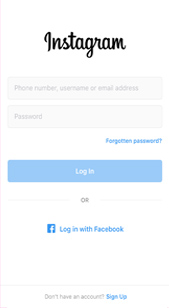
Download the app to your phone. When you open the app click on sign up at the bottom. You can sign up via facebook, your mobile phone number or email. I am going to guide you through the setting up via email steps. .
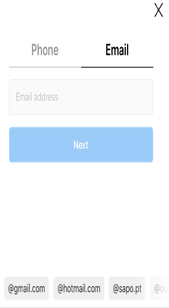
Add your email address - For security reasons i would recomend you set up a new email account. Use one for logging in and another for people to contact you via instagram (If you are having a business account) This will help to keep your login email secure and less likely to hacking. .
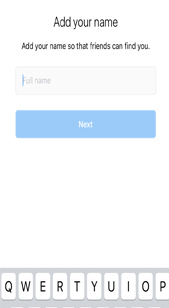
Add your name – you don’t need to add your full name if you would prefer just to use your first name, nick name or account name.
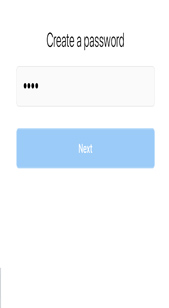
Create a password. Try to use something that is hard to guess preferably using a mix of letters, numbers and symbols
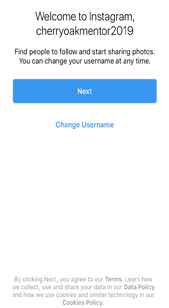
Your account is created. You can change the name of your account here. Subject to account name availability. .
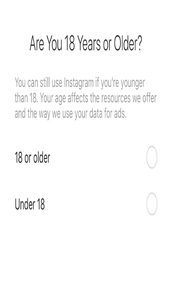
Confirm your age .
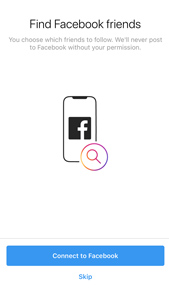
If you want your real life friends to follow your Instagram account you can connect to facebook. I have passed this step on this break down.
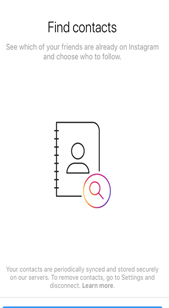
If you want your telephone contacts to follow you, you can connect here to find contacts who are on Instagram. I have skipped this step.
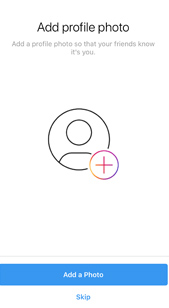
It will now ask you to add a profile picture. I would highly recommend you do this otherwise you may look like a fake account.
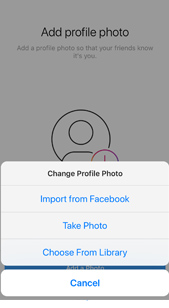
You have a few ways you can select a photo. If you have connected your account to facebook you can choose one from there. You can take a photo direct from your phone, you will need to allow access to your phone. Or you can import from your phones library.
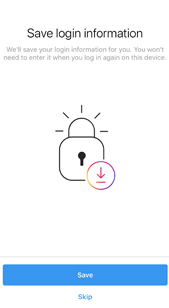
You can save your login information. I would only recommend this if know no one else will have access to your phone. I would also recommend you add Two Factor Authentication. You can see how to do this on my Instagram group page
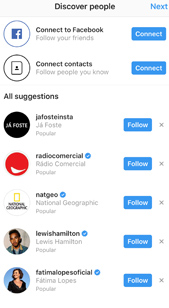
You are all set up and ready to go. Instagram will suggest some accounts to follow. You do not need to follow these unless they are of interest to you. .
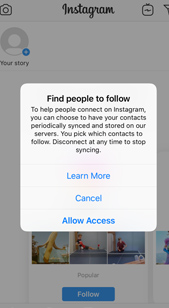
You have the choice of Instagram syncing periodically to your contacts. It will notify you when someone you knows has joined. This is your personal preference wether you do this or not. .
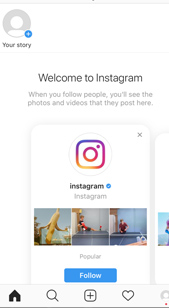
You are now fully set up and ready to use your account. .
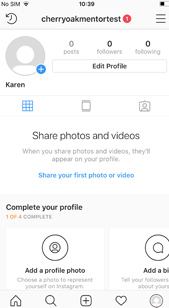
Select your logo on the bottom right had corner to go to your account. Check out my other step by step guides and courses on how to use your Instagram account and grow your following and engagement.
Copyright © 2018 - All Rights Reserved -Cherry Oak Manor -Home Blog - Home Decor - Home Interiors - Cleaning - Product Reviews - Travel Reviews- Influencer